Art Style Graphics v2.0
Posted: Fri Feb 27, 2026 11:48 am
https://libertycity.net/files/gta-5/218 ... -v2.0.html#
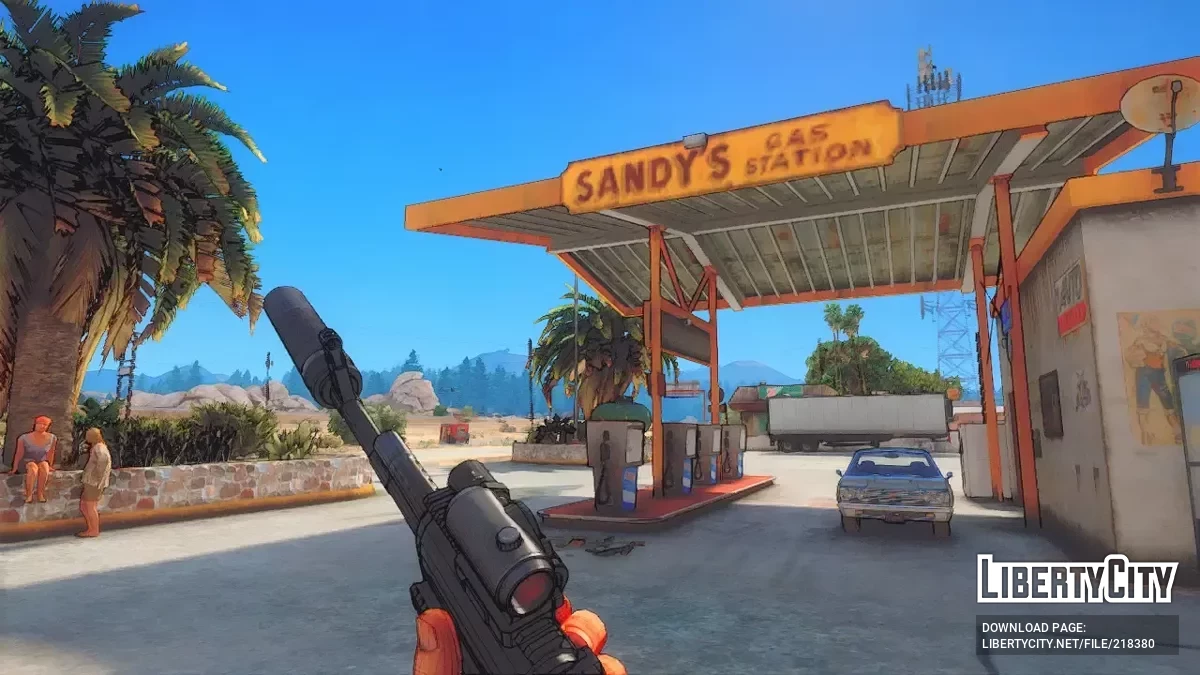
It looks like you're playing GTA V in a different game world.
This is NOT realistic graphics, but graphics in the style of GTA art (loading screens or GTA wallpapers)
Visualization with cel-shading, oil painting, and a smooth colorful effect
Installation:
Extract the contents of "ENB + ReShade" to the GTA V folder
OpenIV: Extract the contents of "update.rpf" to mods\update\update.rpf
Graphics controls:
Press End to configure ENB;
Press Scroll Lock to turn ENB on or off;
Press Shift + F2 to configure ReShade;
Press Shift + F1 to turn ReShade on or off.
Please read this to avoid errors:
Recommended for installation over a clean GTA V;
It is not recommended to mix with other graphics mods. I am not responsible for the result;
This mod supports weak and mid-range PCs (best performance);
Be sure to set shader quality to at least "High" (graphics settings);
Be sure to set Post FX to at least "Very High" (graphics settings);
Make sure Screen Kill Effects are disabled (display settings);
Make sure you have removed TimeCycleMods.asi if you are using it;
If you don't like the black outline (ReShade — Celshading), set Clarity Strength to 0.