SimpleSpeedHUD (Speedometer & Cruise control) 1.1
Posted: Thu Feb 26, 2026 7:45 pm
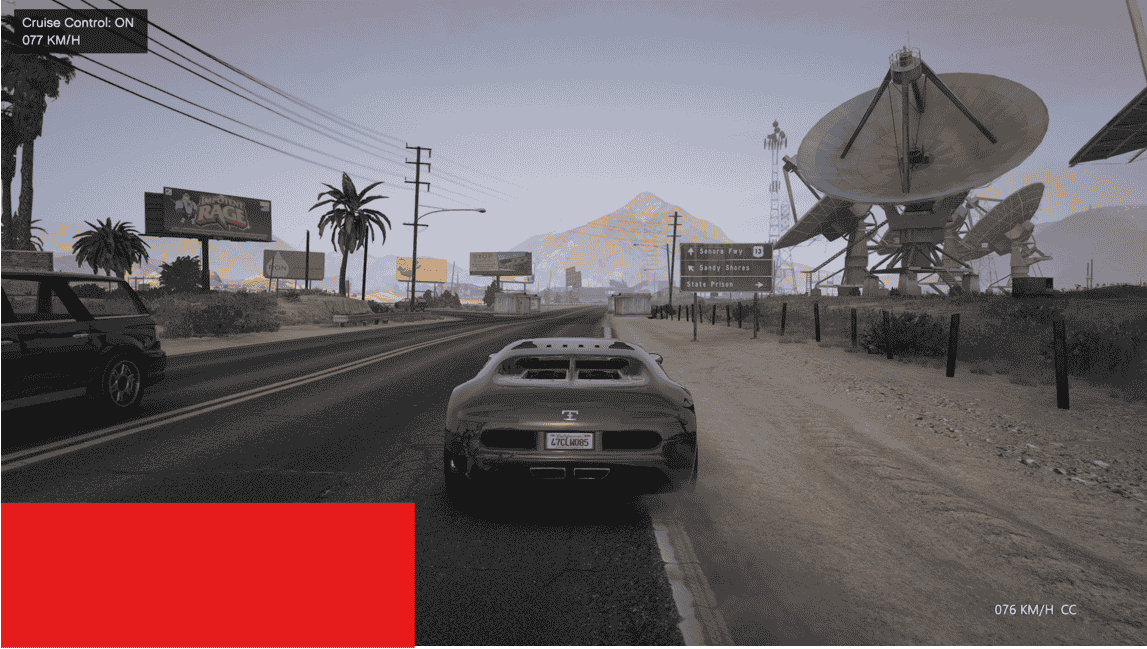
SimpleSpeedHUD: Clean bottom HUD speed display (Bottom-Center or Bottom-Right)
Speed units: KM/H, MPH, M/S, KTS
Optional unit cycling with custom cycle order
Optional Cruise Control (Limiter / Full hold) (In order to cycle between the modes double press your Cruisecontrol keybind from the config file)
Optional Custom font, size, bold strength, and HUD offsets
Optional Console support
It’s recommended to check the config file (SpeedHUD.ini) and change it to your liking - there are quite a few options to help you get the best experience possible

Toggle HUD: O
Cycle speed unit: I
Cruise Control Toggle: T
Cruise Speed Up / Down: PageUp / PageDown
How to Install
Requirements
Grand Theft Auto V (obvs
 )
)RAGE Plugin Hook
Install the plugin
Drop Plugins Folder (From the Main folder you just installed) into:
Grand Theft Auto V Root
EXTRA:
Config keys use System.Windows.Forms.Keys (PC) (Google it)
Console: https://docs.fivem.net/docs/game-references/controls/
INDEX:XBOX CONTROLLER
“Nothing shows”: make sure you installed correctly
Cruise Control Behavior (See config file)
Limiter: Allows normal braking/deceleration, but prevents accelerating past the set speed.
Full Hold: Actively tries to maintain the set speed by accelerating (and may lightly brake depending on conditions).
v1.0 – Initial release
v1.1 – Added Cruise Control + a few more features + console support + small UI fix
v1.1: Wasnt Fully Tested and will be improved over time!
https://www.lcpdfr.com/downloads/gta5mo ... o=download