SpeedometerSimple 1.0.0
Posted: Thu Feb 26, 2026 7:43 pm
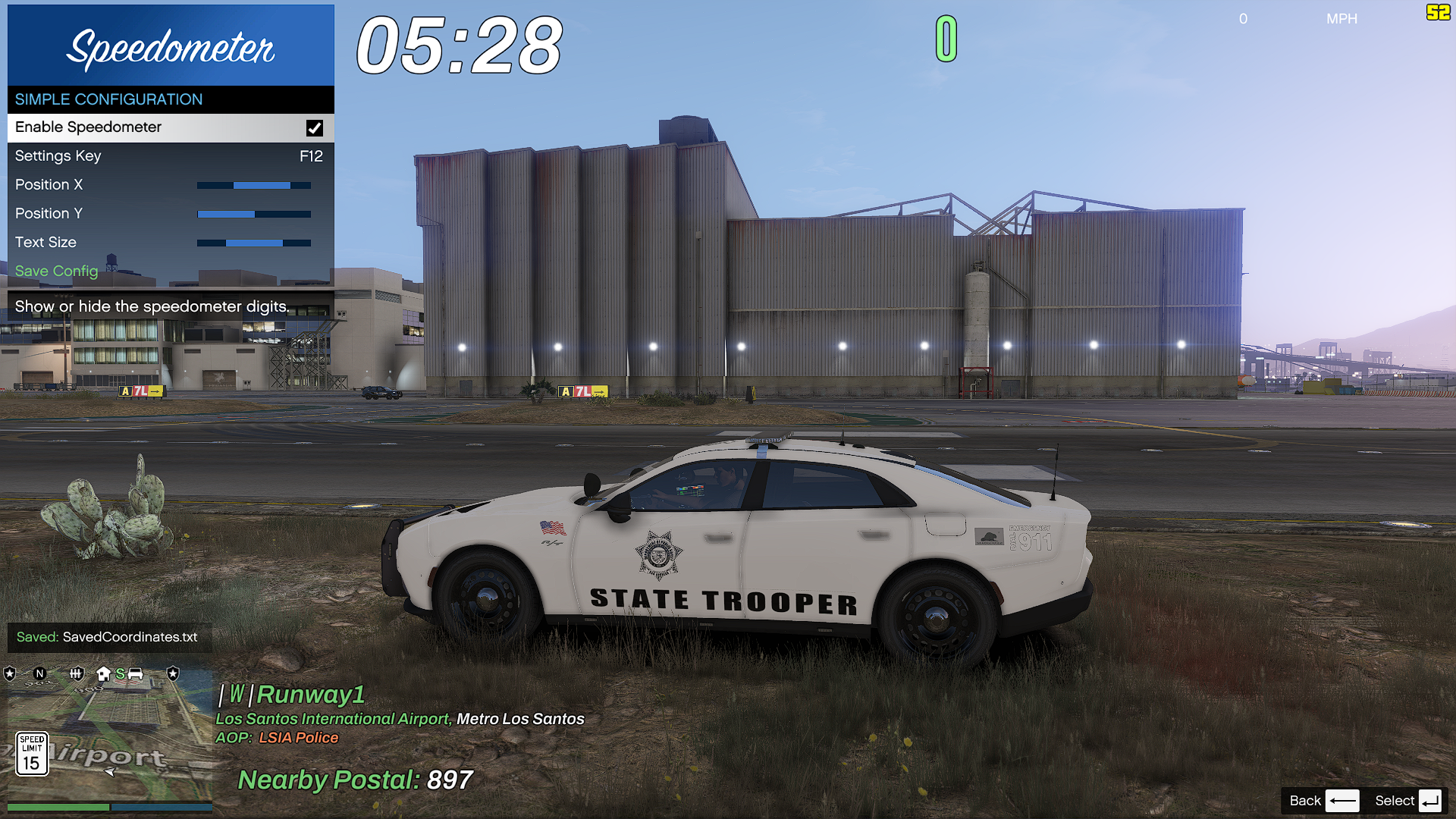
 Speedometer Simple (MPH)
A high-performance, minimalist C# script for Grand Theft Auto V that provides a clean, reactive digital MPH display. Designed for players who want essential data without cluttering the screen with gauges.
 Included Files
SpeedometerSimple.dll — The main script assembly.
SpeedometerSimple.pdb — Program database for debugging support.
SpeedometerSimple.ini — User settings (auto-generated on first run).
 Key Features
Real-Time MPH Tracking: High-precision speed calculation calibrated specifically for MPH.
Reactive Color HUD: The display automatically shifts colors to alert you of high speeds:
 1-69 MPH: Neon Green
 70-79 MPH: Warning Yellow
 80+ MPH: Danger Red
Interactive Menu (F10): Adjust the UI position and size in real-time.
 Installation
Prerequisites:
Script Hook V
Script Hook V .NET
Deployment:
Place SpeedometerSimple.dll and SpeedometerSimple.pdb into your GTA V/scripts/ folder.
The NativeUI Requirement:
Many users forget this! You must place NativeUI.dll directly into your GTA V/scripts/ folder (the same place as this mod) for the F10 menu to function.
Launch:
Press F10 in-game to open the configuration menu.
 Pro-Tips & Tricks
The "Clean Shot" Trick: If you want to take a cinematic screenshot without the speedometer, simply use the Rockstar Editor or a trainer to hide the HUD; this mod follows the global HUD visibility settings and will disappear automatically.
Instant Reload: If you edit the .ini file manually while the game is running, press the Insert key on your keyboard. This triggers Script Hook V .NET to reload all scripts, applying your new coordinates instantly without restarting the game.
Performance Note: This mod is "Zero-Impact." It detects when you exit a vehicle and stops all calculations, meaning it won't eat up your CPU while you're in a shootout or walking around.
Troubleshooting: If the menu doesn't open, ensure NativeUI.dll is not "Blocked" by Windows. Right-click the file -> Properties -> Check "Unblock" at the bottom if it appears.
Safe driving is optional. A clean HUD is mandatory.